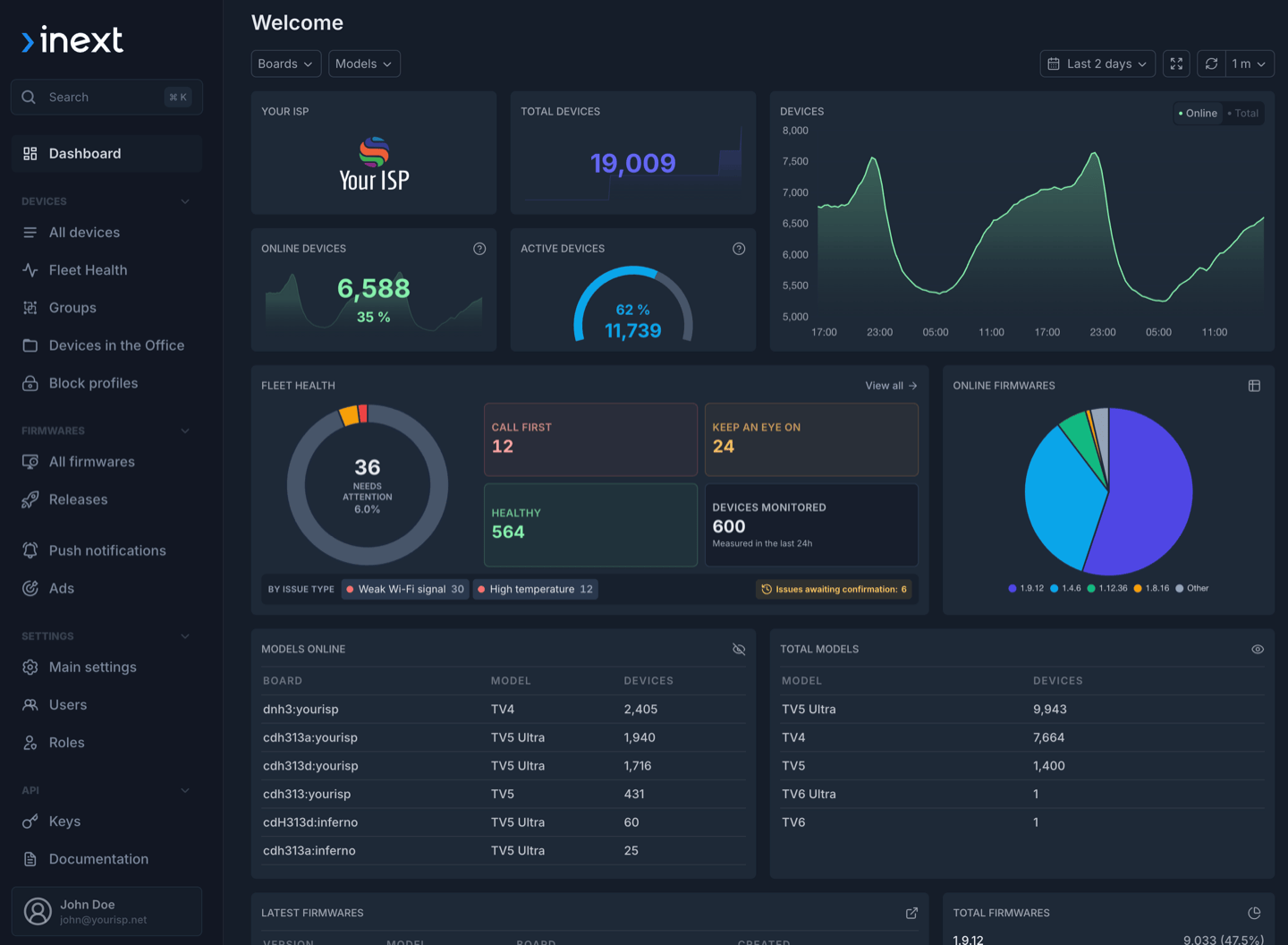
Alcatraz Pro is inext's device-management platform for monitoring, updating, diagnosing, and remotely supporting deployed set-top boxes. Alcatraz Console v3 helps teams act earlier and trace what happened: it identifies devices that need attention, brings their history into one timeline, and gives administrators direct control over API access.
Availability: Alcatraz Pro cloud users have immediate access to Console v3. The update is also available for on-premises deployments.
Find fleet issues before they become support cases
The new Fleet Health workspace analyzes device telemetry and organizes detected issues into a prioritized work queue. Its dashboard summarizes overall fleet health, while filters help support and network teams focus on devices with a specific type of issue.
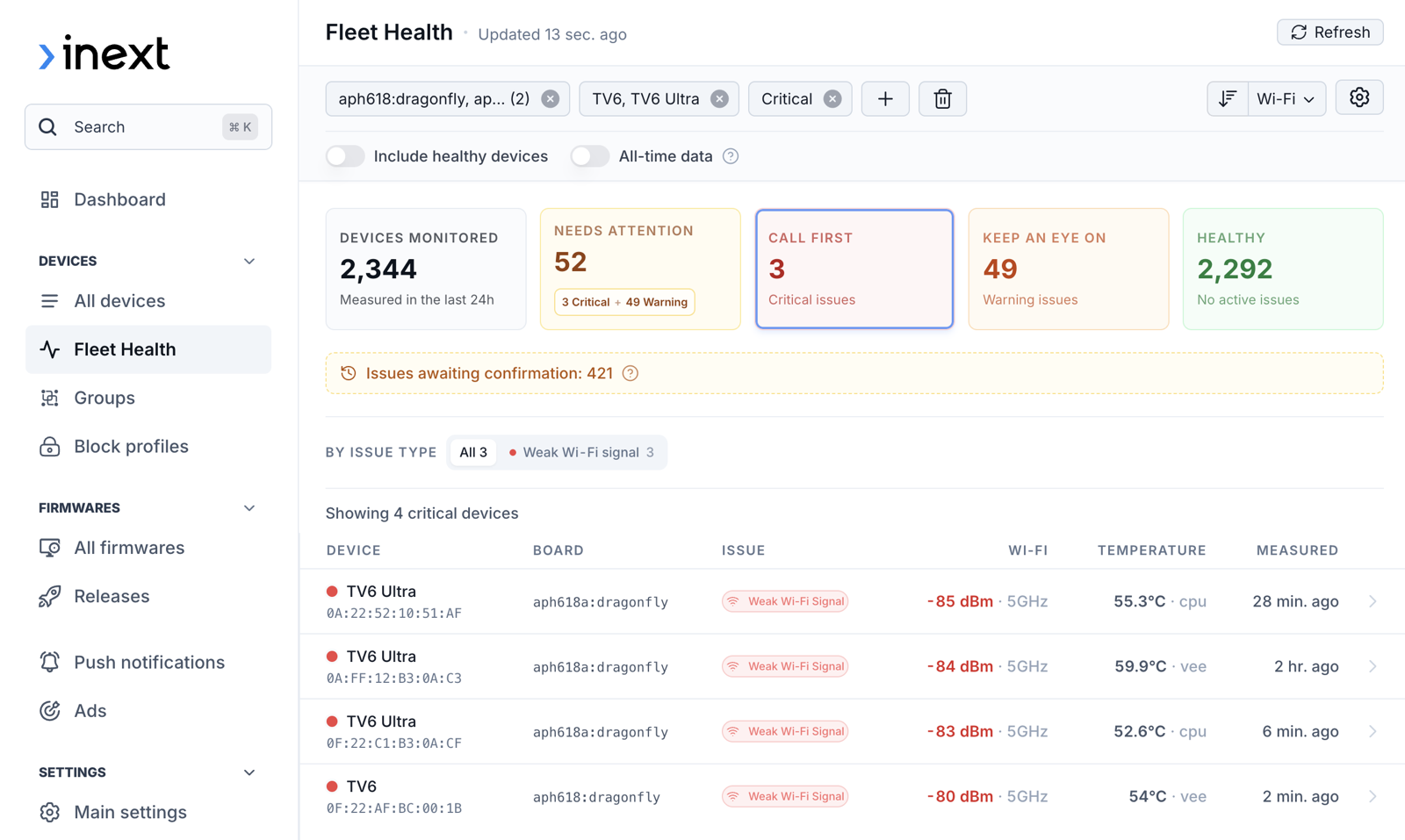
Fleet Health summarizes the monitored fleet and brings critical devices to the top of the queue.
The first automated checks detect two common conditions:
- Weak Wi-Fi, based on the device's reported signal strength.
- High temperature, highlighting devices whose placement or ventilation may need attention.
Opening an affected device reveals the issue details and its history, helping distinguish a new condition from a recurring one. Weekly summaries provide a compact view of fleet health without requiring every responsible team member to monitor the console continuously.
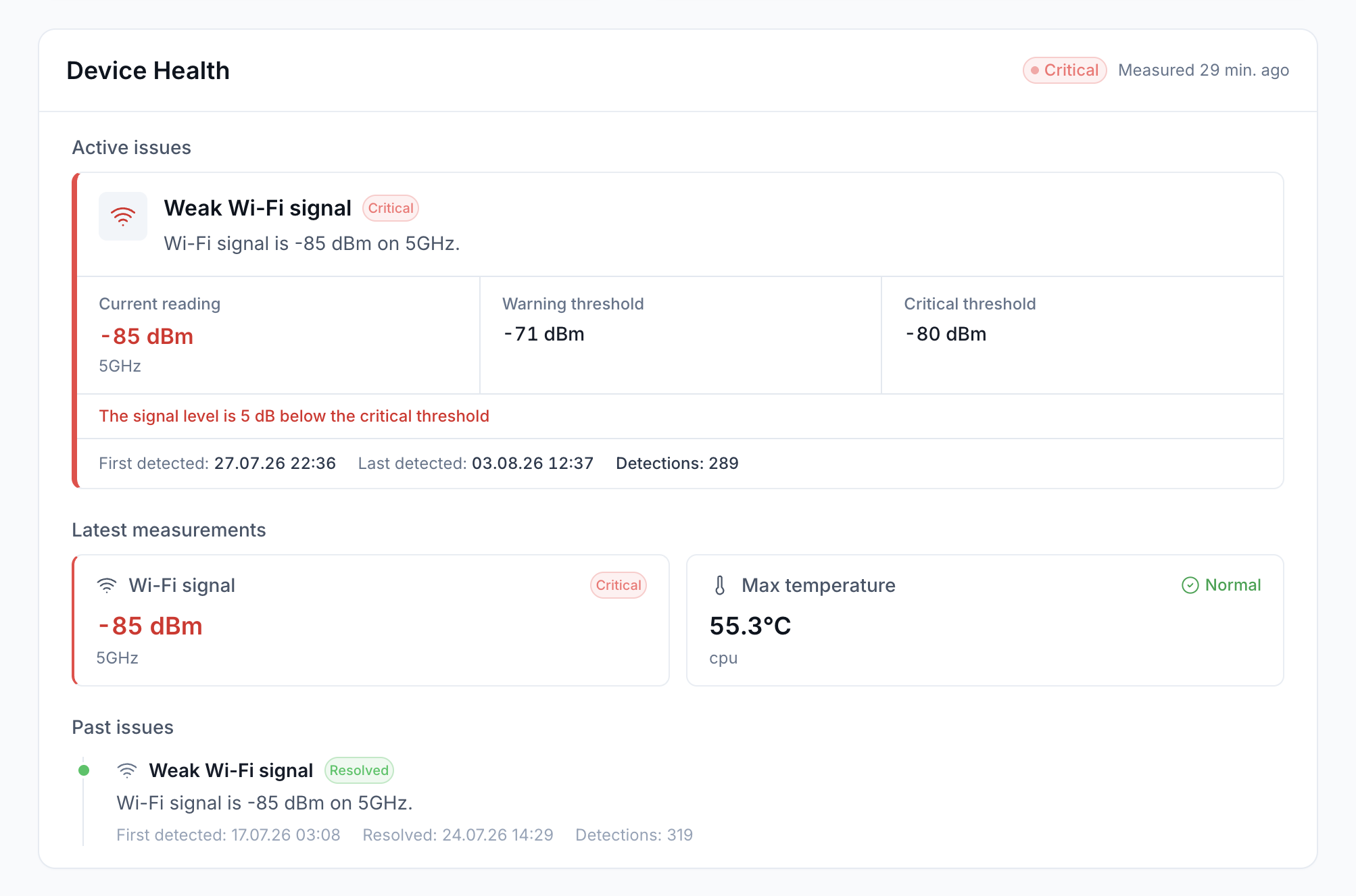
The device-level view explains the active issue, shows the configured thresholds, and preserves previous detections.
Fleet Health does not replace the detailed device inspector. It adds a prioritization layer: the inspector shows what a particular STB is reporting, while Fleet Health shows which STBs should be checked first.
Follow every device event in one timeline
The new device activity timeline brings together the events that explain how a device reached its current state. It covers remote commands, activation and device changes, private notes, campaigns, notifications, and OTA activity.
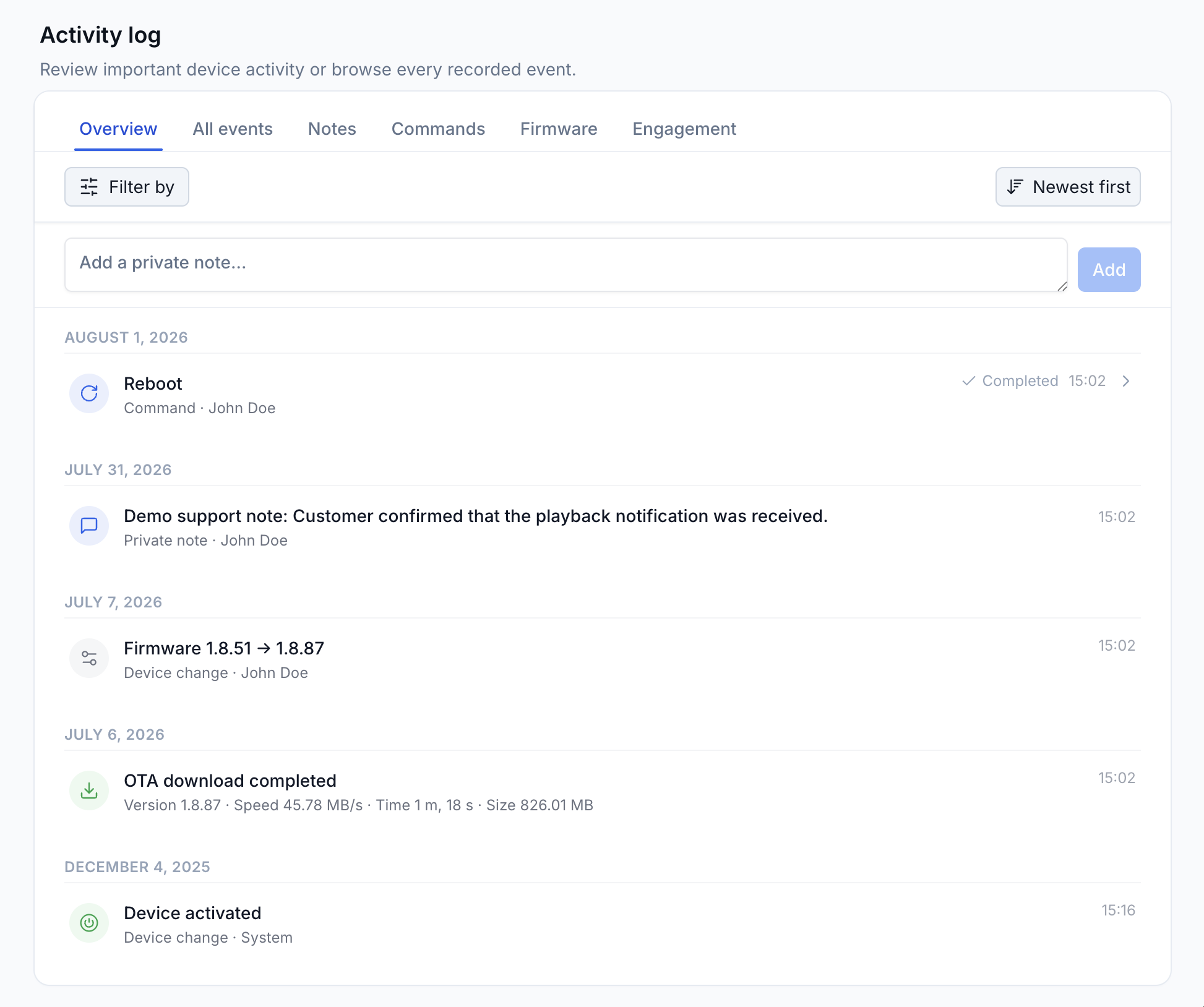
The Activity Log brings commands, private notes, device changes, OTA events, and activation history into one searchable timeline.
Preset views and filters let teams narrow the timeline to the task at hand. A focused audit mode makes it easier to review operational changes, and API-key attribution shows when an event came from an integration rather than a console user.
OTA events carry detailed metrics, so a firmware investigation can move from fleet-level rollout figures to the history of an individual device. Historical MTR and iPerf3 results can also be opened from the timeline, and the tests can be run again with their original parameters. That makes a follow-up network check faster and more consistent than rebuilding the command from memory.
Manage API access without a support request
Administrators can now create and revoke API keys directly in the console. Permissions, allowed IP addresses, and an expiration date can be configured separately for each key. The secret can be copied only when the key is first generated and is not shown again later.
These controls give each integration only the permissions and validity period it needs. They also make it practical to issue separate keys for provisioning, support, reporting, or another operational workflow instead of sharing one credential across several systems.
New external device IDs extend those integration options. An operator can associate an Alcatraz device with an existing subscriber, CRM, billing, or household reference, then search, filter, copy, or export that identifier. Support teams can move between systems using the reference already established in the operator's workflow.
A clearer dashboard and better firmware collaboration
The redesigned dashboard adds 30- and 90-day reporting periods and direct navigation into Fleet Health. The firmware-distribution table and chart remember their settings independently, so each view stays arranged for its own purpose.
Dashboard sections now load independently, and a failed section can be retried without affecting the others. If one data request fails, the rest of the console remains available. Real-time features also switch to offline mode when their connection is unavailable, without blocking the rest of the console.
Firmware teams can add comments to builds and releases, with access controlled by permissions. The discussion stays attached to the relevant firmware record and its approval and rollout workflow instead of being scattered across external messages.
Included for fleets with fewer than 500 active devices
Alcatraz Pro is included at no extra cost while a partner's fleet has fewer than 500 active inext devices. The access status is based on the latest 30-day active-device snapshot shown in Company Settings.
For fleets with 500 active devices or more, access and commercial terms are agreed directly with the inext sales team.
Further reading
- Explore Alcatraz DMS — deployment options, fleet-management capabilities, and access details.
- Alcatraz Pro Adds MTR Diagnostics — how remote route tracing helps locate packet loss, latency, and jitter.
- Alcatraz Pro and ABillS billing integration — an example of connecting device operations with an operator's existing systems.
- OWASP Secrets Management Cheat Sheet — general guidance on scoping, monitoring, and managing credentials through their lifecycle.