Dedicated TV service
One managed launcher and one primary TV application, with a controlled firmware image and few background services.
Optimization matters more than app count

Published
There is no universal minimum for a modern STB. A tightly optimized 1 GB device can be the right fit for a controlled service, while broader app ecosystems, native games and longer lifecycle headroom justify more memory.
Size the complete workload — firmware, launcher, apps, updates and games — rather than buying the largest number on a specification sheet.
1 / 8 GB
Focused and efficient
2 / 16 GB
Flexible mainstream
4 / 32 GB
Maximum headroom
The short answer
RAM gives the operating system and applications room to work. Storage holds firmware, applications, updates and local data. Neither number measures firmware quality, storage speed, GPU capability, thermal design or how much unnecessary software runs in the background.
That is why a well-engineered 1 GB STB can feel responsive in a defined, single-service deployment while a poorly tuned box with more RAM still boots slowly, drops applications or becomes unstable. More memory buys flexibility and margin; it does not repair weak software.
One gigabyte is enough only when the workload is known, the firmware is built for that hardware and the complete service has been tested under realistic conditions. It is not a blanket recommendation for every Android box.
Public Android compatibility rules are more nuanced than a universal “2 GB minimum”: requirements vary by Android version, architecture, display configuration and memory reserved for hardware. View Android compatibility requirements
Start with the job
An operator-controlled service, a hotel room, an open streaming device and a gaming box should not receive the same memory recommendation. Define what must run now — and what may be added later.
One managed launcher and one primary TV application, with a controlled firmware image and few background services.
Optimization matters more than app count
Several IPTV, OTT, media and utility applications, with users moving between them during a session.
Allow room for app switching and caches
Branded guest experiences, property information, casting or service integrations, often repeated across many rooms.
Consistency and remote recovery lead
Lightweight Android games and simple interactive experiences alongside normal media applications.
RAM helps; GPU and controls still decide
The game renders remotely while the STB decodes a low-latency video stream and sends controller input.
Network latency can outweigh extra RAM
Multiple branded applications, background services, analytics, integrations and features expected to grow over time.
Plan margin for the product roadmap
What uses RAM
The useful question is not “How many gigabytes?” but “What remains available when the real service is running?” Measure the complete image, not a clean development build.
Android or Linux, the launcher, networking, DRM, device management and vendor services all reserve memory before the main app starts.
EPG data, thumbnails, analytics, caches and background processes determine whether apps stay ready or must restart.
Modern STBs decode video in dedicated hardware. Smooth 4K depends heavily on the SoC, codec pipeline and drivers — not RAM capacity alone.
Native games, richer graphics and frequent app switching create larger working sets and benefit most visibly from additional headroom.
Practical comparison
These are workload profiles, not universal performance tiers. The final choice should follow sample testing with the intended firmware, applications, streams and peripherals.
1 GB / 8 GB
Focused deployment
A cost-efficient configuration when inext or the operator controls the software image and keeps the workload deliberately narrow.
Watch for
Not the right default for a growing app catalogue, heavy native games or software that has not been profiled on the target firmware.
Current inext fit
2 GB / 16 GB
Flexible mainstream
A balanced starting point for deployments that need several applications, a richer interface and more room for future software changes.
Watch for
Still validate storage growth, app switching and long-running stability; 2 GB does not remove the need for disciplined firmware.
Current inext fit
4 GB / 32 GB
Maximum headroom
The strongest option for broad application sets, heavier native workloads and projects that value flexibility above the lowest hardware cost.
Watch for
Do not pay for unused capacity. Confirm that the processor, GPU, storage speed and software can turn the extra memory into a real benefit.
Current inext fit
The configuration names describe nominal RAM and flash capacity. Available memory and usable storage are lower after hardware reservations, firmware partitions and preinstalled software.
Storage needs a budget
An 8 GB, 16 GB or 32 GB device must first accommodate its partition layout and production image. Buyers should ask for usable space on the final sample, then model how it changes over the service life.
The operating system, recovery image, vendor data and reserved partitions consume capacity before applications are installed.
Recovery packages, staged downloads and A/B update designs can require temporary or permanently reserved storage.
Application binaries are only the start. EPG data, artwork, logs, web data and caches grow during normal use.
Fast, reliable eMMC and a healthy filesystem can matter more than unused capacity on a slower or poorly managed device.
Specify a minimum free-space threshold after provisioning and after a representative update cycle. Nominal capacity alone cannot confirm that the next firmware or application release will install safely.
Why firmware changes the answer
STB firmware is not a generic Android image copied onto a board. The BSP, drivers, services, launcher and application lifecycle must be tuned together for the exact SoC and product role.
A concrete example: inext TV5
TV5 pairs 1 GB RAM and 8 GB eMMC with Android 10 AOSP, hardware-accelerated 4K playback and Alcatraz DMS. Its focused role is made possible by years of firmware work on the H313 platform — not by pretending memory limits do not exist.
See TV5 specificationsEvery unnecessary service consumes memory, storage, CPU time and boot time. A controlled image can stay deliberately lean.
Kernel settings, drivers, memory allocation and hardware video integration determine how efficiently the platform uses its resources.
Launcher behavior, background limits, cache policy and recovery paths keep the main experience responsive over long sessions.
Optimization is maintained through regression testing, staged OTA delivery and monitoring — not completed once at launch.
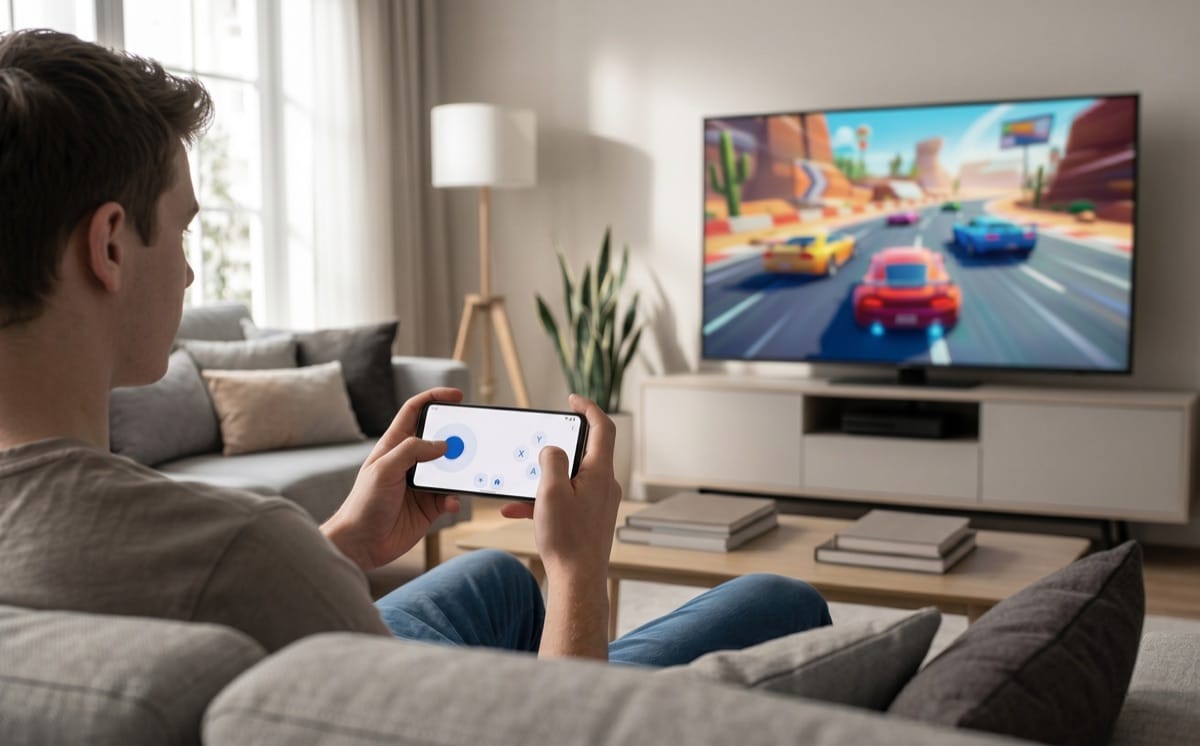
Gaming changes the workload
“Supports games” can describe very different products. A simple puzzle, a streamed console title and a native 3D game place different demands on the STB.
Simple Android games can run within a modest memory budget when the rest of the software image is controlled and the game is tested on the target device.
Often viable on 1–2 GB; test each title
Rendering happens in the cloud. Local success depends on low-latency networking, hardware video decoding, Bluetooth or USB input and stable frame delivery.
Network, decoder and controller latency lead
Larger textures, game engines and background assets benefit from 4 GB and more storage, but GPU capability and sustained thermal performance remain decisive.
Prefer 4/32 — after GPU and thermal validation
Four gigabytes of RAM does not turn a weak chipset into a game console. Specify RAM, GPU, processor, storage performance, cooling and controller support as one gaming requirement.
Evidence before purchase
A supplier sample should run the intended production image and content. Repeat the same acceptance sequence on every candidate so the comparison reflects the service subscribers will receive.
Document pass/fail criteria before samples arrive. A polished demonstration is not a substitute for an acceptance plan.
Procurement rule
List the OS, launcher, applications, services, DRM, DMS and update design that will ship — not an abstract platform name.
Confirm codecs and resolutions in the hardware decoder, then evaluate CPU, GPU and RAM for the applications around playback.
Account for usable space, caches, logs, application growth, recovery and at least one realistic update cycle.
Compare extra memory cost against the probability of new applications, longer support or a broader role during the fleet's life.
The right STB is not the one with the most memory. It is the one that meets a documented workload reliably, at the right fleet cost, with enough margin for its planned life.
FAQ
Choose with evidence
Share the applications, streams, integrations, gaming requirements and expected lifecycle. The inext team can recommend a configuration and prepare a sample with the intended software for validation.