
inext Alcatraz DMS — your fleet, always under control
Cloud SaaS or fully on-premises. Monitor fleet health, review device history, deliver updates and support every inext STB from one platform.
Deployment
Two ways to deploy
Pick the model that fits your network policy. Same features, same console, same subscription.
Cloud (SaaS)
Hosted and operated by inext. Fastest start, automatic updates, geo-distributed access for your support team.
- No infrastructure to maintain
- Automatic platform upgrades
- SLA-backed availability
On-premises
Runs inside your closed ISP network. Full data sovereignty for operators with strict regulatory or security requirements.
- Deployed in your data center
- Your data never leaves your network
- Works behind NAT / closed networks
What's inside
Everything you need to run a fleet of STBs
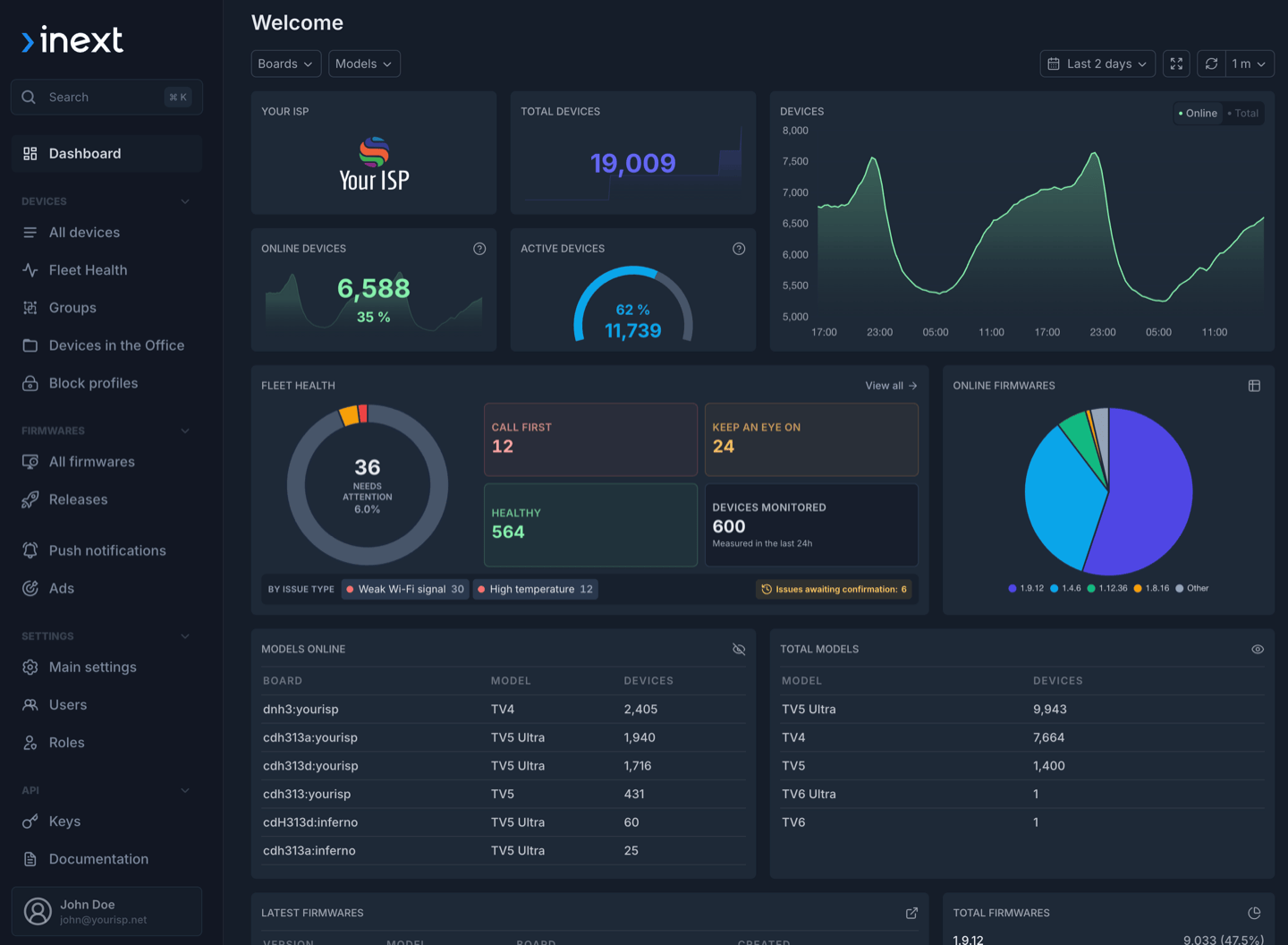
Fleet Health
Prioritize detected Wi-Fi and temperature issues, review device history and receive weekly fleet summaries.
Staged firmware rollouts
Stage firmware rollouts, track results, exclude individual devices and keep comments with each build or release.
Remote support & diagnostics
Reboot and remotely control devices, run MTR or iPerf3 diagnostics and resolve issues without a site visit.
Device activity & audit
Review commands, changes, private notes and OTA events, with user and API-key attribution for audit.
Device protection
Apply block profiles, app lock and net-lock to protect rented, lost or retired devices.
Subscriber communication
Send targeted launcher banners, notifications and campaigns with calls to action on the TV.
API & industry standards
Manage restricted API keys and connect through REST, MQTT or existing TR-069/CWMP workflows.
Fleet organization
Use external IDs and groups to search, filter, export and manage devices in bulk.
Fleet Health
Prioritize the devices that need attention
Fleet Health analyzes device telemetry and organizes detected issues into a clear, actionable view for operations and support teams. The dashboard summarizes overall fleet health, while a filterable queue provides direct access to each affected device and its issue history.
- Detect weak Wi-Fi and high-temperature conditions
- Filter and prioritize the device issue queue
- Review issue details and history for each STB
- Receive weekly fleet summaries
Firmware management
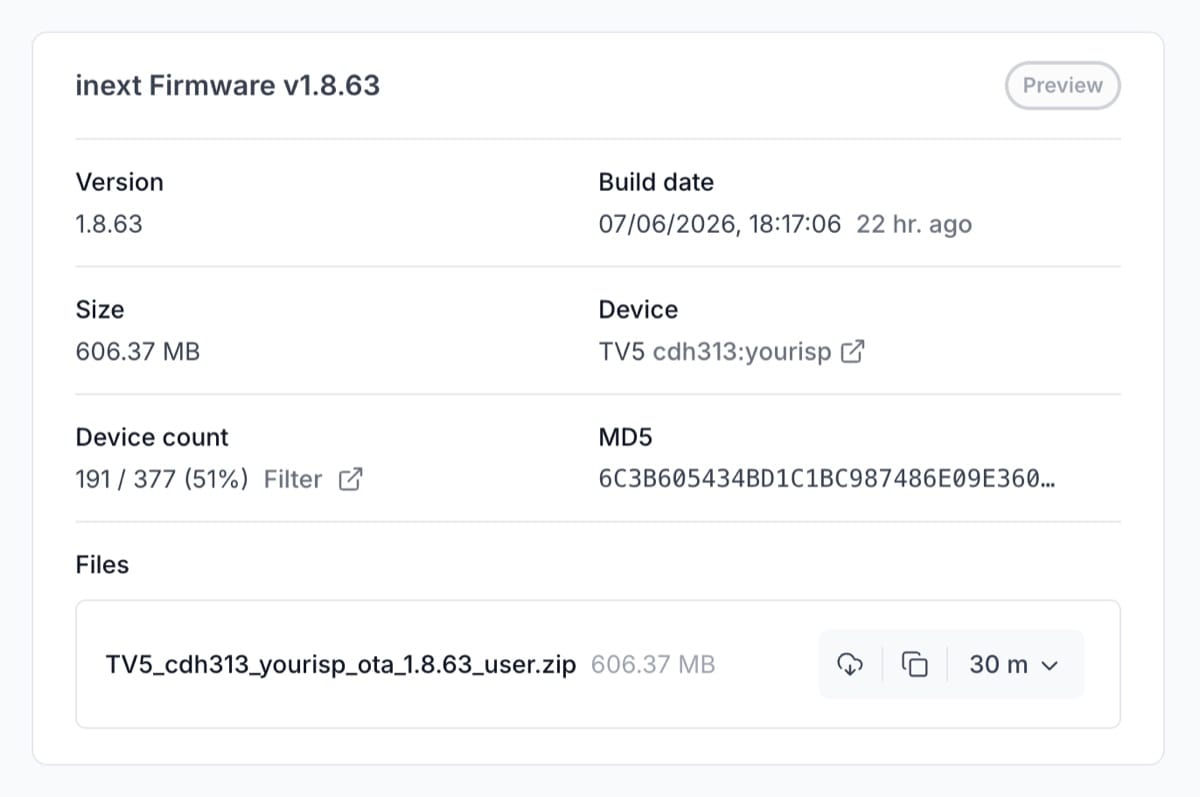
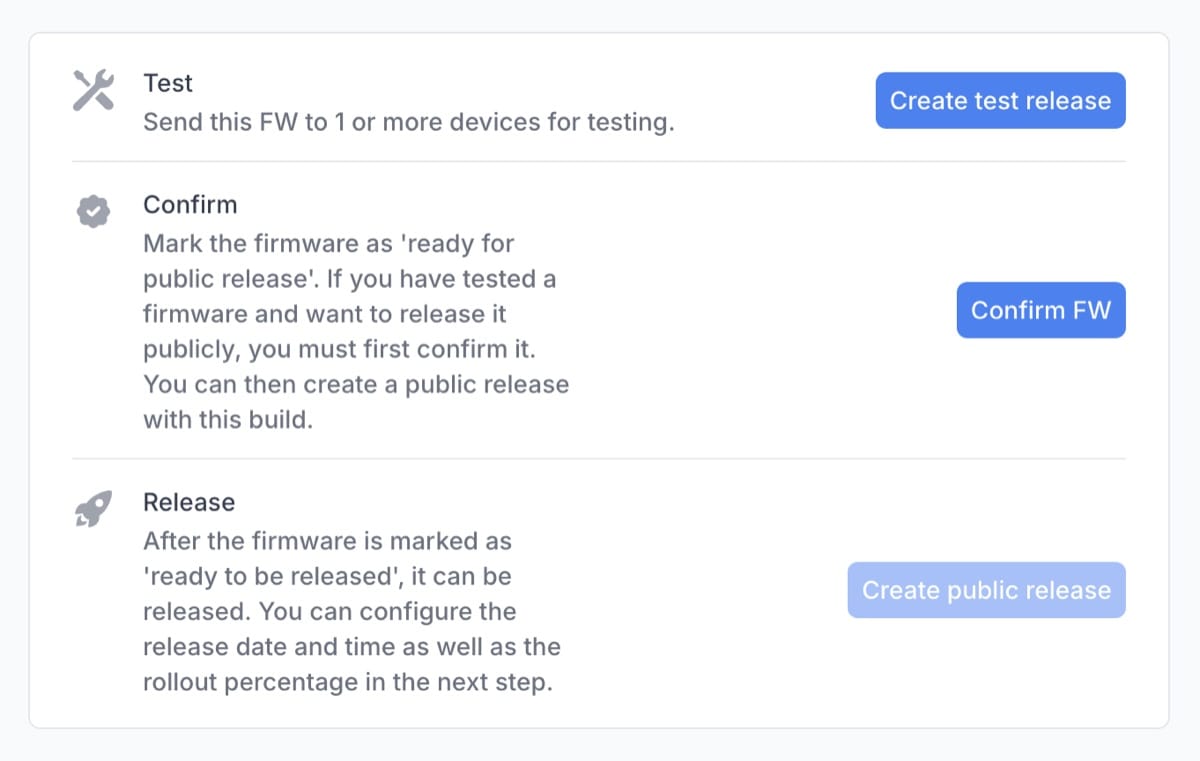
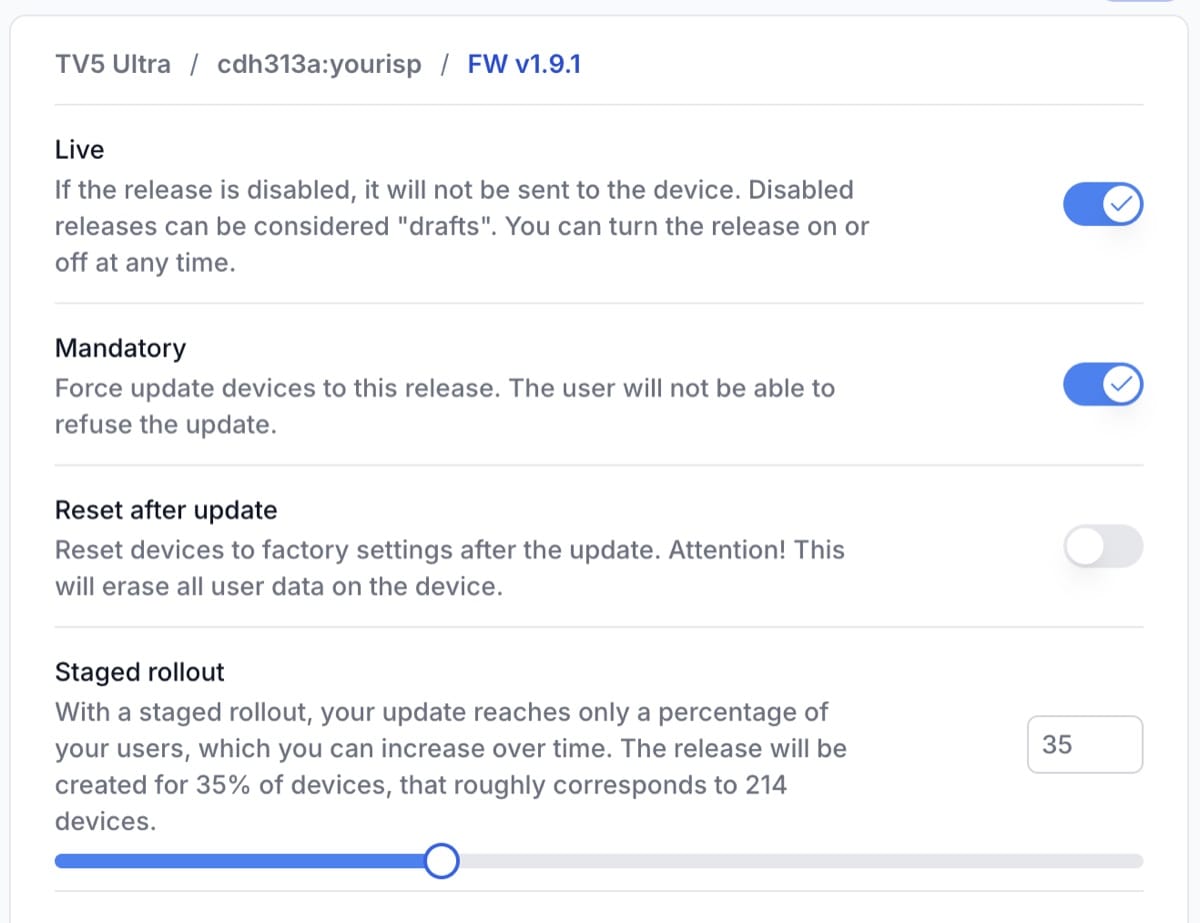
Phased rollouts with safety rails
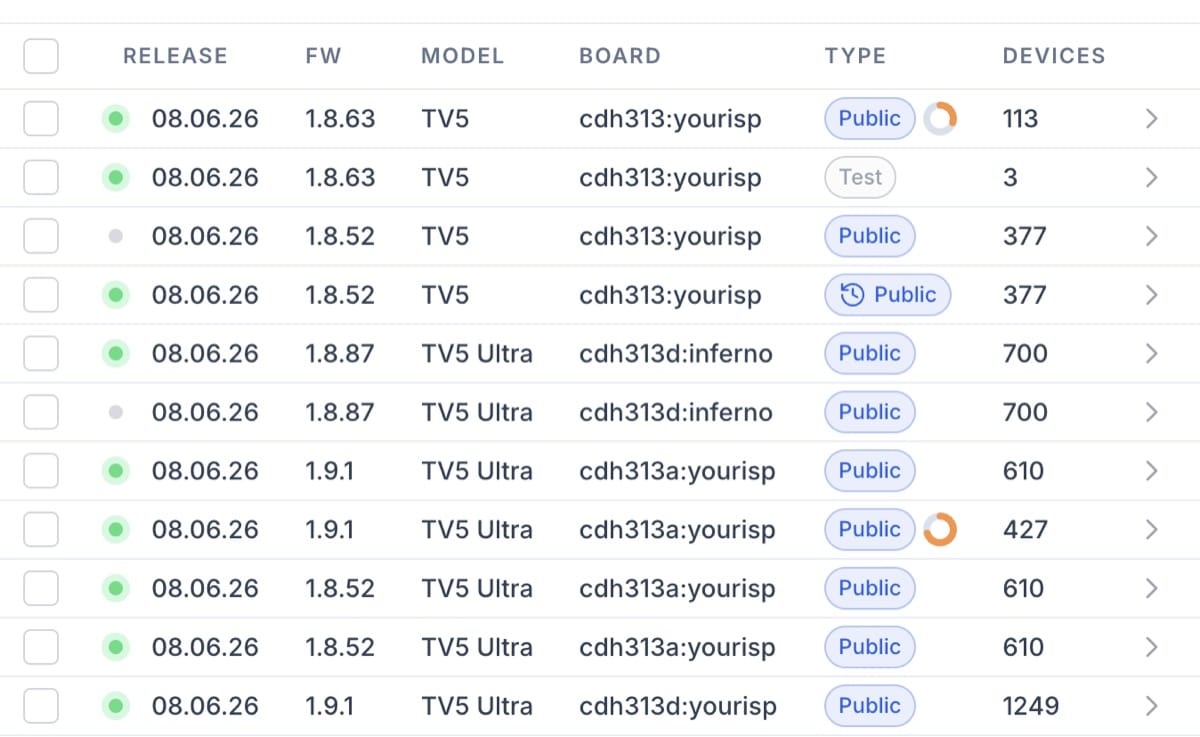
Schedule firmware releases for a slice of the fleet, gate updates with client-side confirmation and watch release statistics in real time. Exclude any device from automatic updates with a single toggle, or push a manual update when you need to.
- Staged / phased rollout
- Exclude from auto-updates per device
- Manual firmware release
- Client confirmation + release stats
TV5 Ultra
Online53:38:EC:FE:FC:BE · living-room-0421
Firmware
1.9.1
Device condition
Checked 12 min ago
- State
- Online · 4d 1h 19m
- Last seen
- 12 min ago
- Firmware
- v1.8.14
- Temperatures
- CPU 51.2° · GPU 52.5° · RAM 50.8° · VEE 53.4°
- RAM
- 383 MB free of 4 GB
- Flash
- 18.8 GB free of 32 GB
- TV connection
- HDMI · 1920×1080 · 60 fps
- Network
- Wi-Fi 5 GHz · RSSI −29 dBm (Excellent)
- Android
- 12
- Locale
- English · Europe/Kyiv
- Installed apps
- App list with versions
Today
Factory reset
Command · John Doe
Waiting for response
04:16
Yesterday
Reboot
Command · John Doe
Completed
16:16
This week
Support note: intermittent buffering
Private note · John Doe
16:16
Last week
Firmware 1.8.51 → 1.9.1
Device change · API key · rollout-bot
16:16
Earlier
OTA download completed
Version 1.9.0 · 45.78 MB/s · 1 min 18 sec
16:16
Device inspector
See current state and complete history side by side
Open any STB to see its current condition, then follow the events that led there. The activity timeline covers commands, activation events, device changes, private notes, campaigns, notifications and OTA events.
- Preset views, filters and a focused audit mode
- The user or API key identified for every recorded action
- Detailed OTA metrics and command history
Remote control
A console of operator commands
Run any of the actions you'd normally need a field engineer for — from a reboot to a full factory reset — without ever touching the box.
- Resolve common issues from the NOC — no field engineer dispatch.
- Trigger on a single device or push to a whole group in one click.
- Every action is logged with the device, timestamp, and operator or API key that initiated it.
MTR diagnostics
Trace the route from the subscriber's STB
Operators can run MTR (My Traceroute) from an online set-top box to any destination. Completed MTR and iPerf3 results remain available in the device activity timeline, and the tests can be run again with their original parameters.
Control
- Reboot
- Virtual remote control
- Screenshot
Diagnostics
- Speed test (iPerf3)
- MTR route trace
Communication
- Push notification
Lifecycle
- Firmware release
- Exclude from auto updates
Lockdown
- Block deviceDestructive
- Factory resetDestructive
Device protection
Protect STBs with block and net-lock policies
Alcatraz DMS helps operators protect rental STBs, lost hardware, unpaid accounts and retired devices. Block any STB or group manually, or use net-lock to restrict rented boxes outside approved ISP networks.
How locking starts
Manual block
Block one STB or an entire group on demand. Use it for lost or stolen hardware, retired devices or accounts with overdue payments.
Automatic net-lock
Automatically block rented STBs outside approved ISP networks. This prevents devices from being used through unauthorized connections.
This device is locked
The STB shows the operator's message, then powers off. The block repeats after restart.
Choose a lock profile
Push notifications
Talk to subscribers, on their TV
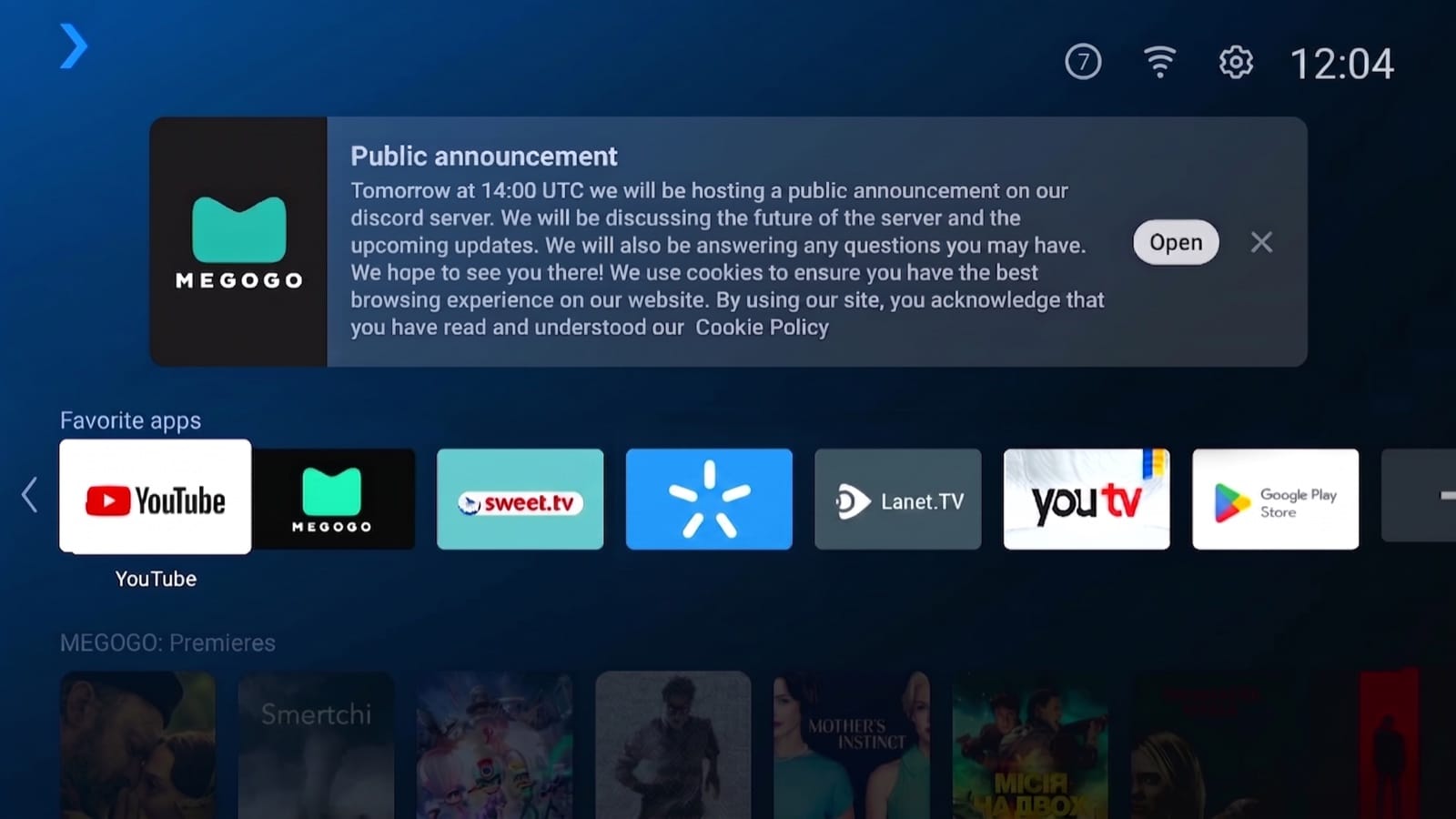
Send launcher banners and toast messages to any segment of your fleet — for service messages, content highlights or upgrade campaigns. Each message can carry a CTA that opens an app or page.
- Launcher and toast styles
- Target by device group, model or region
- CTAs that deep-link into an app
- Views, clicks and CTR for every message
Secure integrations · REST API
Connect Alcatraz to your existing systems
Create and revoke API keys from the console, optionally restrict permissions and source IP addresses, set expiration dates, and securely copy each secret when it is first generated. External IDs connect Alcatraz device records to subscriber, CRM, billing or household references without changing established workflows.
- Self-service API keys with configurable access restrictions
- External device IDs for search, filters and exports
- TR-069 / CWMP and MQTT alongside the REST API
Pricing
Included at no extra cost for fleets with fewer than 500 active devices
Partners receive access to the complete Alcatraz Pro console at no extra cost while the fleet has fewer than 500 active inext devices. For fleets with 500 active devices or more, access and commercial terms are agreed directly with inext.
No extra cost · Fewer than 500 active devices
Fleet Health, firmware management, diagnostics, remote support and secure integrations are included when the latest 30-day snapshot shows fewer than 500 active devices.
500 active devices or more
Contact inext sales to discuss access and commercial terms for the deployment.
What counts as an active device
Access is based on the latest 30-day active-device snapshot. Devices in these states do not count toward the threshold:
FAQ
Common questions
Take control
Ready to put your STB fleet on one platform?
Tell us about your network and we'll set up a tailored Alcatraz DMS walkthrough.