Catalog - Solutions for B2B and B2C customers - Device Management System (DMS)

Alcatraz and Alcatraz PRO – cloud service for inext device management

Alcatraz and Alcatraz PRO are unique cloud management systems (SaaS) developed exclusively by inext for monitoring and controlling set-top boxes in the provider’s network.

Thanks to many years of experience and an innovative approach, we have created a solution that has no analogues on the market. The Alcatraz system provides full control over devices, optimizing the operator’s work and simplifying communication with end users.

General functionality of Alcatraz and Alcatraz PRO

Device monitoring

  • Displaying basic information about STB:
  • Model.
  • MAC address.
  • Serial number.
  • Most recent IP.
  • Device activity status.

Device management

  • Sending messages to the user’s screen.
  • Device blocking.
  • User access management.

Integration via REST API

  • Connection to corporate management systems.
  • Automatization of management processes through API requests.

System update

  • Remote ОТА system update.

What’s new in Alcatraz PRO?

Alcatraz PRO significantly expands the basic functionality, offering additional tools and capabilities:

Network bandwidth check

  • Connection test via iPerf3.
  • Selection of traffic type (TCP/UDP) and transmission direction.
  • Get detailed results by time, data volume or number of packets.

Advanced monitoring

  • Device activation date.
  • Interface language.
  • Android version.
  • TV and network connection type.
  • Signal level.
  • Temperature of the device.
  • The amount of free memory.
  • Installed apps.

New commands for device management

  • Taking screenshots.
  • Sending RC commands.
  • Rebooting the device.
  • Resetting to the factory settings.
  • Turning automatic updates on/off (total or phased deployment).

Advanced search

  • Search for the device by model, MAC address, IP address, firmware version or comment.

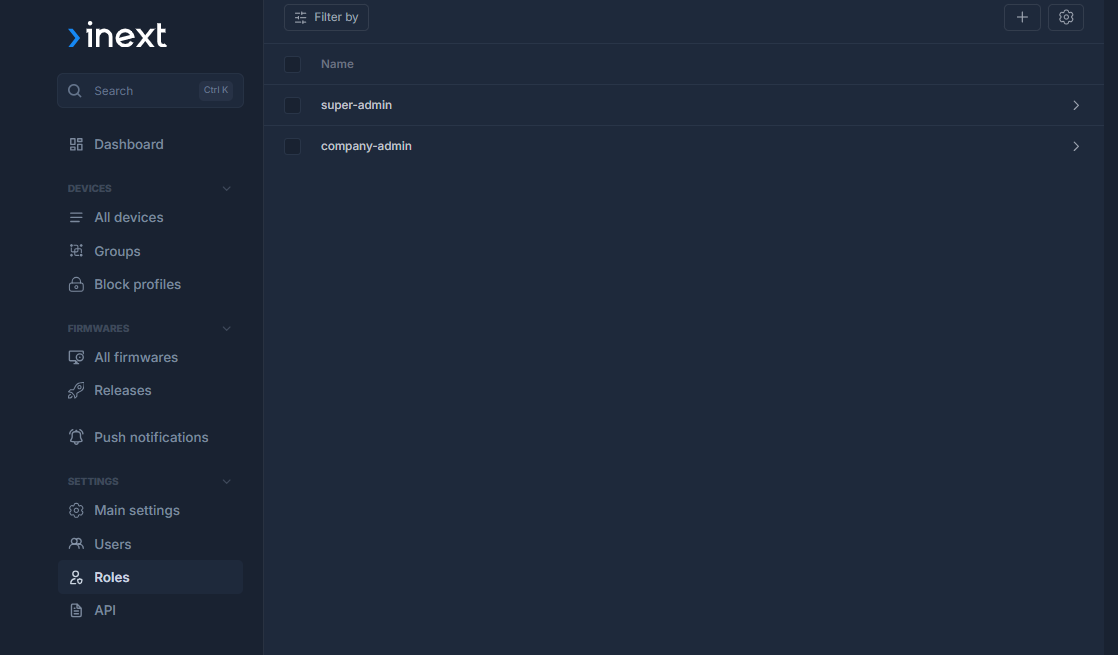
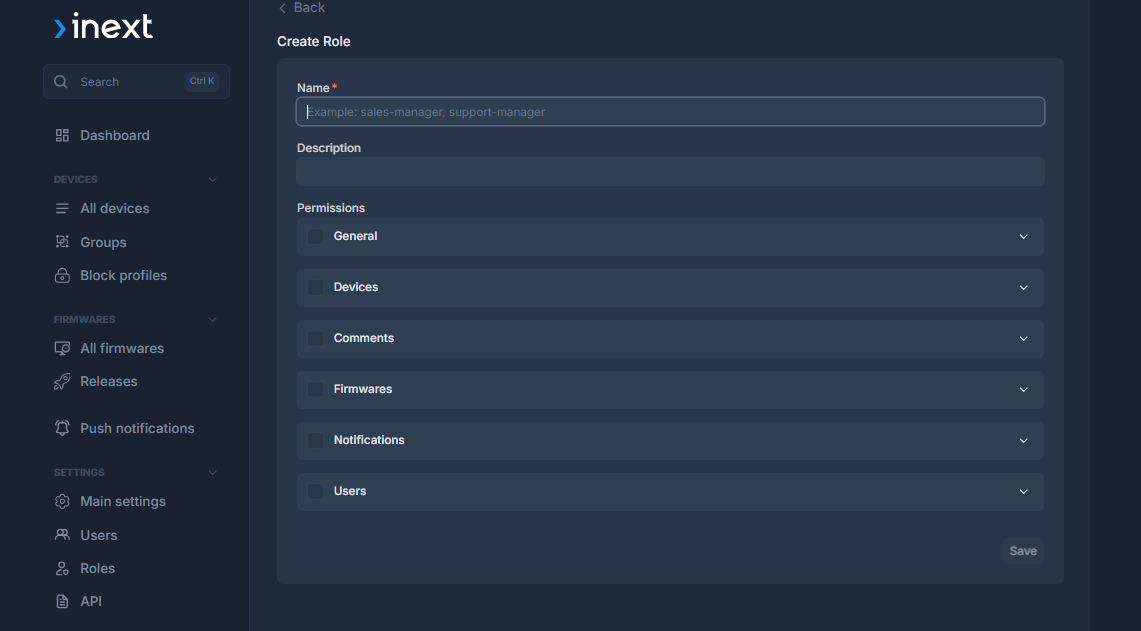
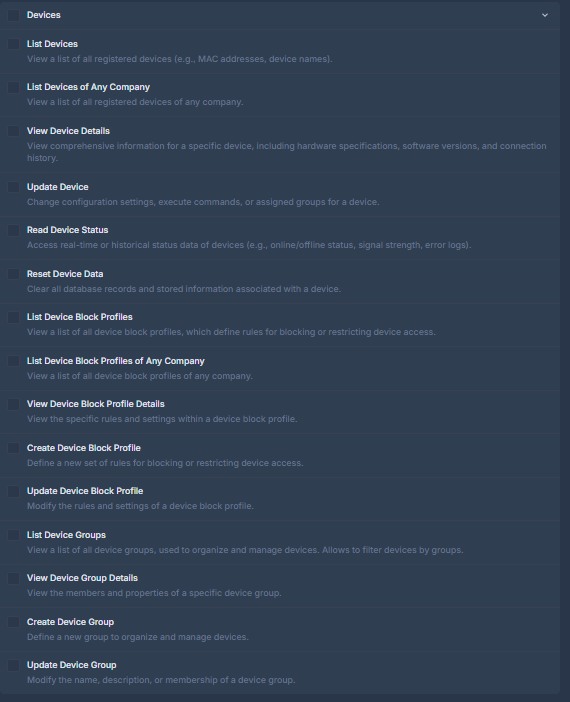
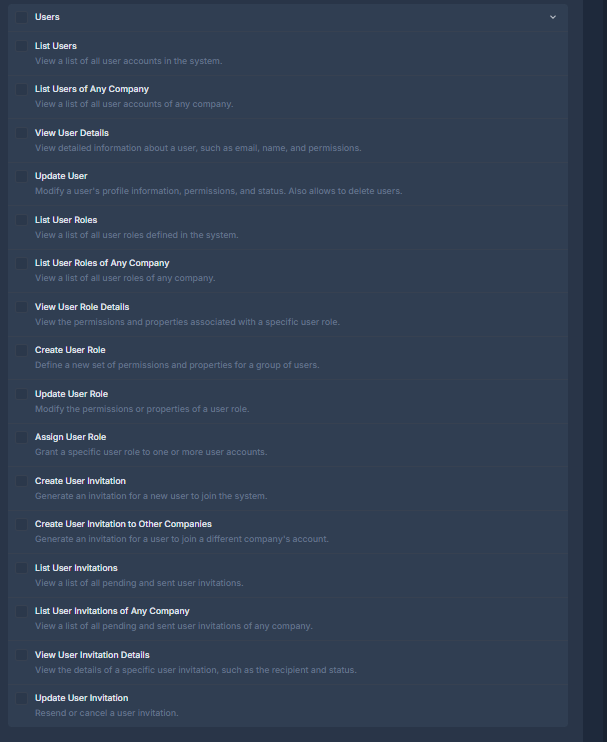
Role Settings

  • Role name and description (e.g. support manager, technician, content editor)
  • Flexible access configuration — permissions can be specified separately for each section: devices, comments, firmware, notifications, users, API

Users Section

Access can be granted for:
  • Viewing the user list (all users or only users from a specific company)
  • Viewing details, activating accounts, creating and editing roles
  • Inviting and blocking users

Devices Section

Permissions include:
  • Viewing all devices
  • Editing their data
  • Creating and editing groups
  • Using lock profiles
  • Working with push notifications linked to specific devices

Firmware Section

Access includes:
  • Viewing builds and their details
  • Creating new versions
  • Planning OTA updates
  • Installing firmware on devices

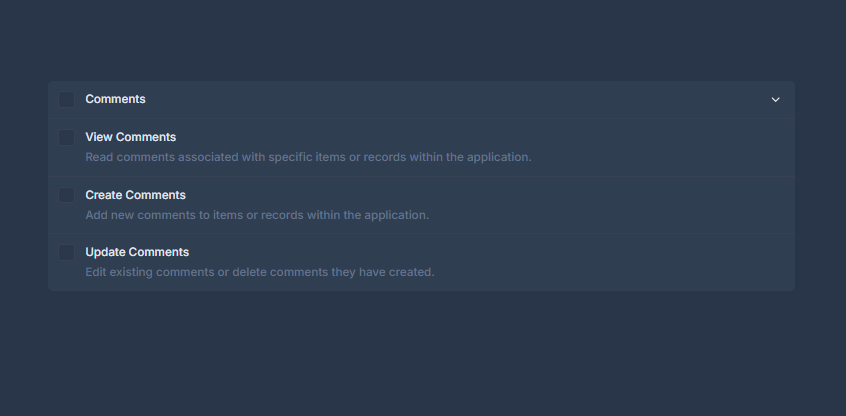
Comments Section

  • Access to reading, creating, and editing comments related to devices, users, or records

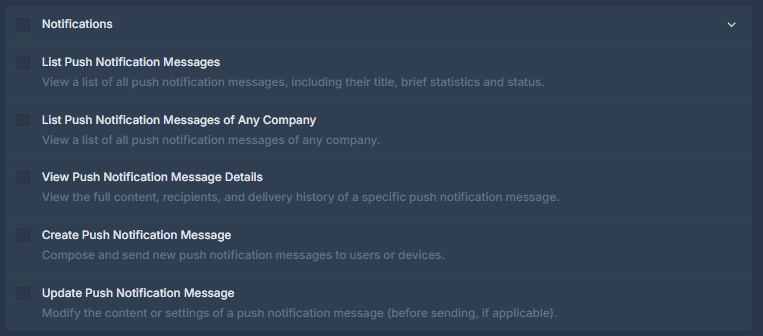
Push-notifications

  • Sending informational messages to all devices or selected categories (by groups of devices or, for example, by firmware version).
  • Scheduling messages with start and end times.

Select who can:

  • Create new push notifications
  • View the archive
  • Send notifications to devices

Advantages of Alcatraz PRO over the basic version

Alcatraz PRO is the choice for those who want to gain maximum control over their network and ensure effective interaction with users. It is a perfect tool for the modern telecom operator that values ​​its time and resources.

  • Ability to send push notifications.
  • More device health data available.
  • Extended set of device management commands.
  • Tools for network optimization.
  • Convenient search and sorting of the devices.

Comparison of Alcatraz and Alcatraz PRO

Deployment and Licensing

[cq_vc_datatable label1="Functionality" label2="Alcatraz" label3="Alcatraz PRO" paddingsize="small" headerbg="darkgray"][cq_vc_datatable_item data1="Deployment type" data2="Cloud only solution" data3="Cloud or On-premises"][cq_vc_datatable_item data1="Payment method" data2="Free" data3="Paid subscription"][/cq_vc_datatable]

Basic functions

[cq_vc_datatable label1="Functionality" label2="Alcatraz" label3="Alcatraz PRO" paddingsize="small" headerbg="darkgray"][cq_vc_datatable_item data1="Remote control (blocking/unblocking)" data2="✓" data3="✓"][cq_vc_datatable_item data1="Monitoring of active devices" data2="✓" data3="✓"][cq_vc_datatable_item data1="Information about software version and the most recent IP" data2="✓" data3="✓"][cq_vc_datatable_item data1="Setting the blocking text" data2="✓" data3="✓"][/cq_vc_datatable]

Advanced management functions

[cq_vc_datatable label1="Functionality" label2="Alcatraz" label3="Alcatraz PRO" paddingsize="small" headerbg="darkgray"][cq_vc_datatable_item data1="Informational and promotional notifications" data2="✗" data3="✓"][cq_vc_datatable_item data1="Remote network speed test (iPerf3)" data2="✗" data3="✓"][cq_vc_datatable_item data1="Manual launch of OTA software update" data2="✗" data3="✓"][cq_vc_datatable_item data1="Separate blocking profiles" data2="✗" data3="✓"][cq_vc_datatable_item data1="User access management" data2="✗" data3="✓"][/cq_vc_datatable]

System monitoring

[cq_vc_datatable label1="Functionality" label2="Alcatraz" label3="Alcatraz PRO" paddingsize="small" headerbg="darkgray"][cq_vc_datatable_item data1="Advanced search (model, firmware, MAC/IP address, status, comments)" data2="✗" data3="✓"][cq_vc_datatable_item data1="Installed apps" data2="✗" data3="✓"][cq_vc_datatable_item data1="Temperature of the device" data2="✗" data3="✓"][cq_vc_datatable_item data1="The amount of free memory" data2="✗" data3="✓"][cq_vc_datatable_item data1="Android version" data2="✗" data3="✓"][cq_vc_datatable_item data1="Device activation date" data2="✗" data3="✓"][cq_vc_datatable_item data1="Interface language" data2="✗" data3="✓"][cq_vc_datatable_item data1="TV connection type" data2="✗" data3="✓"][cq_vc_datatable_item data1="Network connection type" data2="✗" data3="✓"][cq_vc_datatable_item data1="Wi-Fi signal level" data2="✗" data3="✓"][/cq_vc_datatable]

Remote management

[cq_vc_datatable label1="Functionality" label2="Alcatraz" label3="Alcatraz PRO" paddingsize="small" headerbg="darkgray"][cq_vc_datatable_item data1="Taking screenshots" data2="✗" data3="✓"][cq_vc_datatable_item data1="Sending RC commands" data2="✗" data3="✓"][cq_vc_datatable_item data1="Rebooting the device" data2="✗" data3="✓"][cq_vc_datatable_item data1="Resetting to the factory settings" data2="✗" data3="✓"][/cq_vc_datatable]
SKU: alcatraz Category: